Home/Platform/CloudSnap
Operations Suite · 01 / Snapshots

Snapshots on schedule, across every cloud you run.

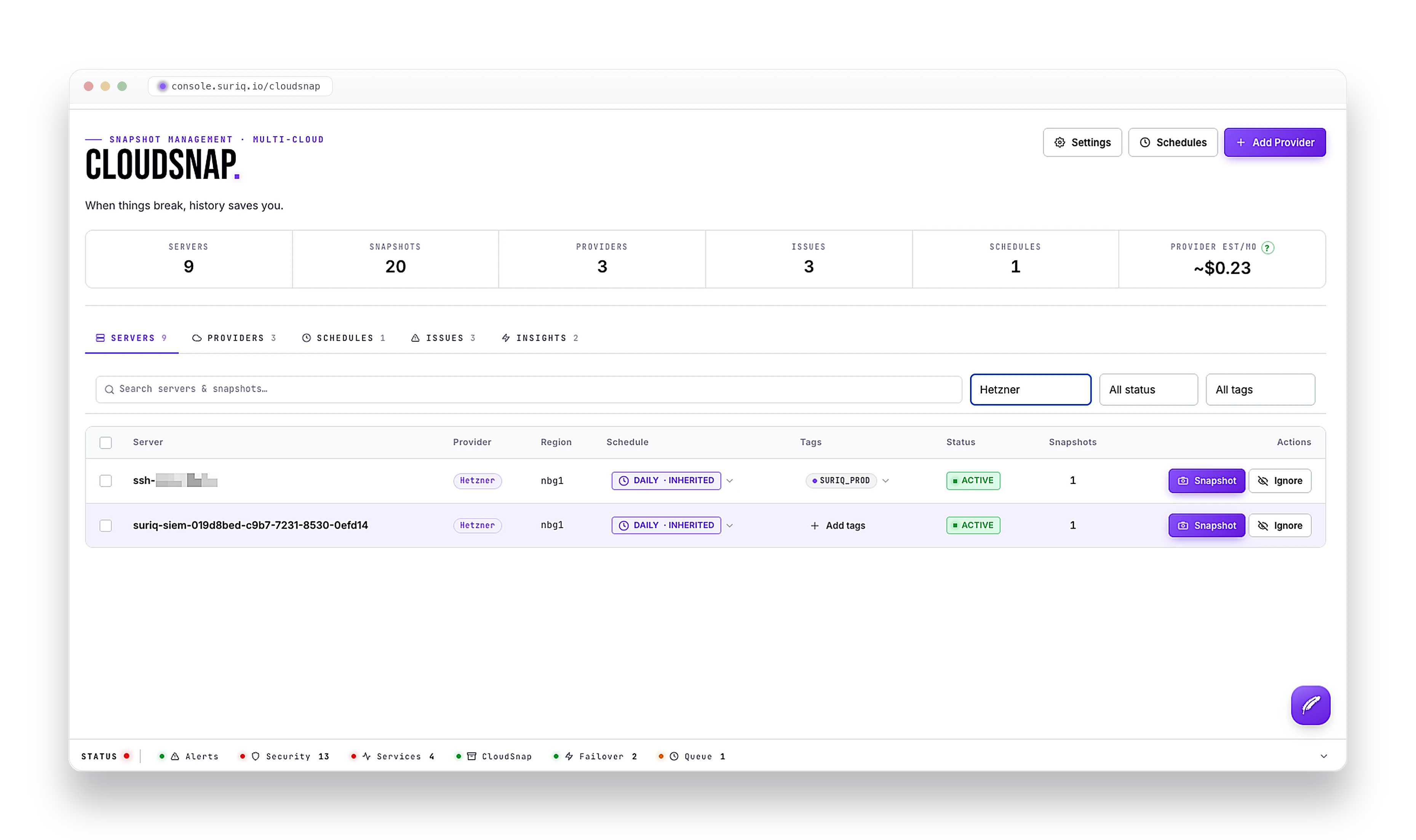
CloudSnap takes and rotates snapshots across your cloud providers from one console. Set a schedule once, cover whole fleets by rule, and let it run - through a controlled layer that physically cannot delete your servers. It is what Orin reaches for before a risky change.
Operated byOrin
ProvidersMulti-cloud
RetentionGFS · Hour to month
ExecutionQueued & audited

Snapshots you set once and stop thinking about.

01

Snapshots across your clouds

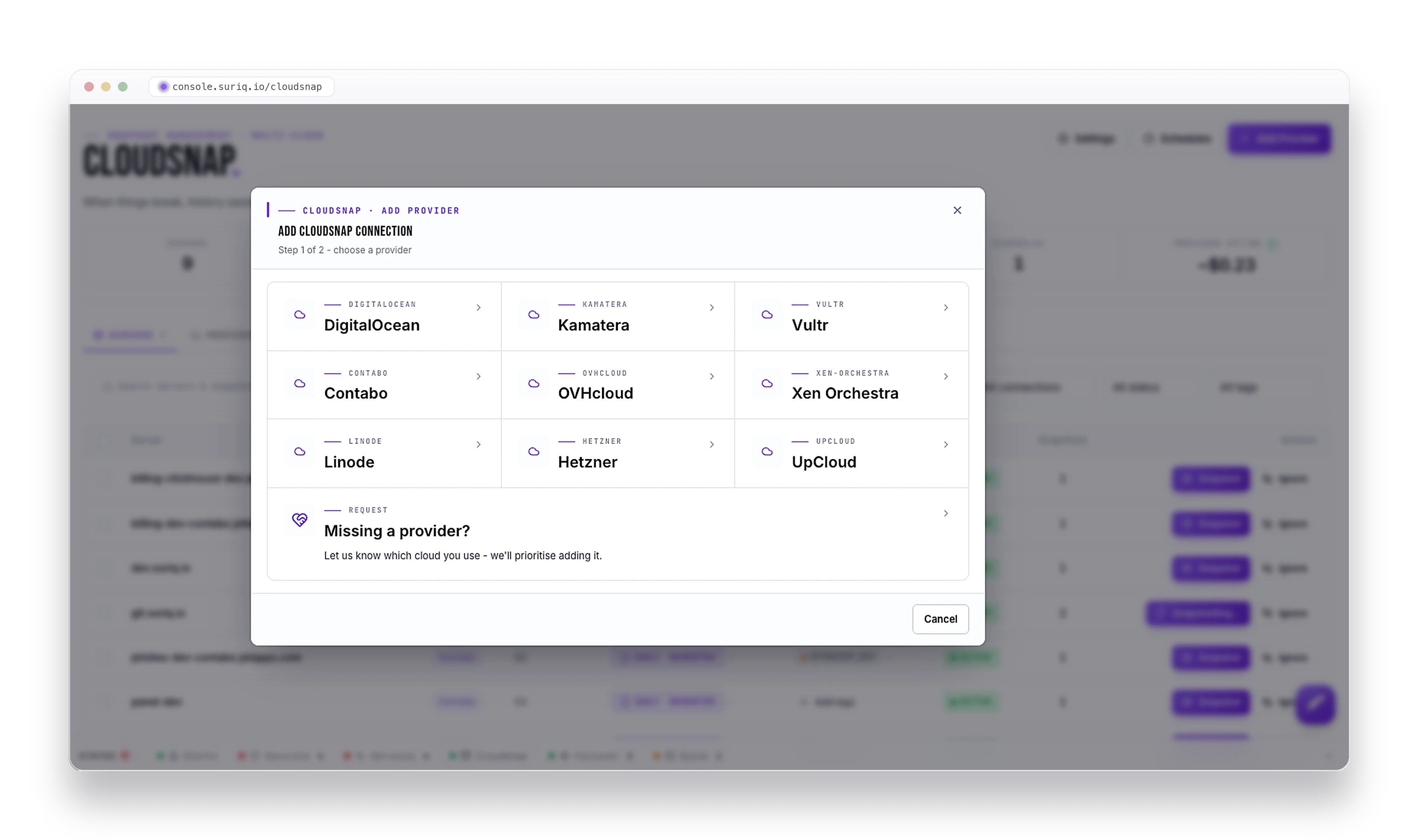
One console for DigitalOcean, Hetzner, Vultr, Linode, OVHcloud, Kamatera, Contabo, UpCloud, Xen Orchestra, and more. Connect an account, assign your servers, done.

02

Set the schedule once

Keep so many hourly, daily, weekly, and monthly snapshots. CloudSnap takes them on time and rotates the old ones out for you - no manual cleanup to babysit.

03

Cover a fleet by rule, not by hand

Target servers by tag, name, region, or power state. A new server that matches the rule is snapshotted automatically - no checkbox to remember.

04

It cannot delete your servers

Every provider call is checked against an allowlist. Delete VM, resize, destroy region: not on the list, ever. Even a compromised execution layer cannot reach a destructive endpoint.

05

It tells you when something is off

Seventeen automated checks watch for failed snapshots, missed schedules, expired keys, runaway cost, exposed VNC, and snapshots taken outside CloudSnap. Every one feeds your alerts.

06

Restore points you actually own

Each snapshot is a full, provider-native image sitting in your own cloud account. When you need to roll back, you restore it through your provider, from a known-good point.

From console to cloud, the long way around. On purpose.

01

You set the intent

The console writes a job - which server, which action, and a reference to the vault. Never a raw key.

02

It gets checked

The job is validated against the per-provider allowlist, and the credential is fetched from the vault by reference - away from the console.

03

One audited call

A single, logged API call goes to the provider, retried under policy, inside a shared rate-limit budget.

04

Status streams back

The result is reconciled and the new state shows up on your dashboard live, as it happens.

Seventeen things it watches so you do not have to.

  • Failed snapshots
  • Missed schedules
  • Expired provider keys
  • Cost over budget
  • Nearing provider quota
  • Orphaned snapshots
  • Stuck jobs
  • Vanished servers
  • Size anomalies
  • Snapshots made outside CloudSnap
  • Exposed VNC access
  • Snapshots kept too long

Seventeen checks in all, each one wired straight to your alert channels.

All your clouds. One control plane.

Each cloud has its own snapshot rules, regions, and quirks. CloudSnap normalizes them into one dashboard and one schedule.

DigitalOcean
Hetzner
Vultr
Linode
OVHcloud
Kamatera
Contabo
UpCloud
Xen Orchestra
Suggest a provider

Where the provider supports it (DigitalOcean today), CloudSnap can also copy a snapshot to a second region for disaster recovery.

Frequently asked questions

Which cloud providers does CloudSnap support?

The major clouds teams actually run - DigitalOcean, Hetzner, Vultr, Linode, OVHcloud, Kamatera, Contabo, UpCloud, and Xen Orchestra among them - all from one console and one schedule. The lineup keeps growing, and you can request a provider that is not yet shown.

Can CloudSnap delete my servers?

No. Every provider API call is checked against an allowlist of snapshot-related endpoints, so destructive operations - delete a VM, resize, destroy a region - are never on the list. Even a compromised execution layer cannot reach a destructive endpoint.

How does snapshot retention work?

On a grandfather-father-son schedule: keep so many hourly, daily, weekly, and monthly snapshots, and CloudSnap takes them on time and rotates the old ones out automatically - no manual cleanup. Each snapshot is a full, provider-native image that lives in your own cloud account.

Can I cover a whole fleet automatically?

Yes. Target servers by tag, name, region, or power state, and any new server that matches the rule is snapshotted automatically - no checkbox to remember when you add a box.

What does CloudSnap watch for on its own?

Seventeen automated health checks, covering failed snapshots, missed schedules, expired provider keys, runaway cost, approaching quota, orphaned or stuck jobs, vanished servers, size anomalies, snapshots taken outside CloudSnap, and exposed VNC. Each one feeds your alert channels.

Where are my snapshots stored, and can I copy them across regions?

In your own cloud account, as full provider-native images - so restoring is a normal provider restore from a known-good point, and the data never sits locked inside Suriq. Where your provider supports it, CloudSnap can also copy a snapshot to a second region for disaster recovery.

Stop babysitting your snapshots.

CloudSnap ships with the rest of Suriq. Connect a provider and your first schedule is running in minutes.