 SURIQ
SURIQIntegration · Firewall
Your firewall, finally readable.
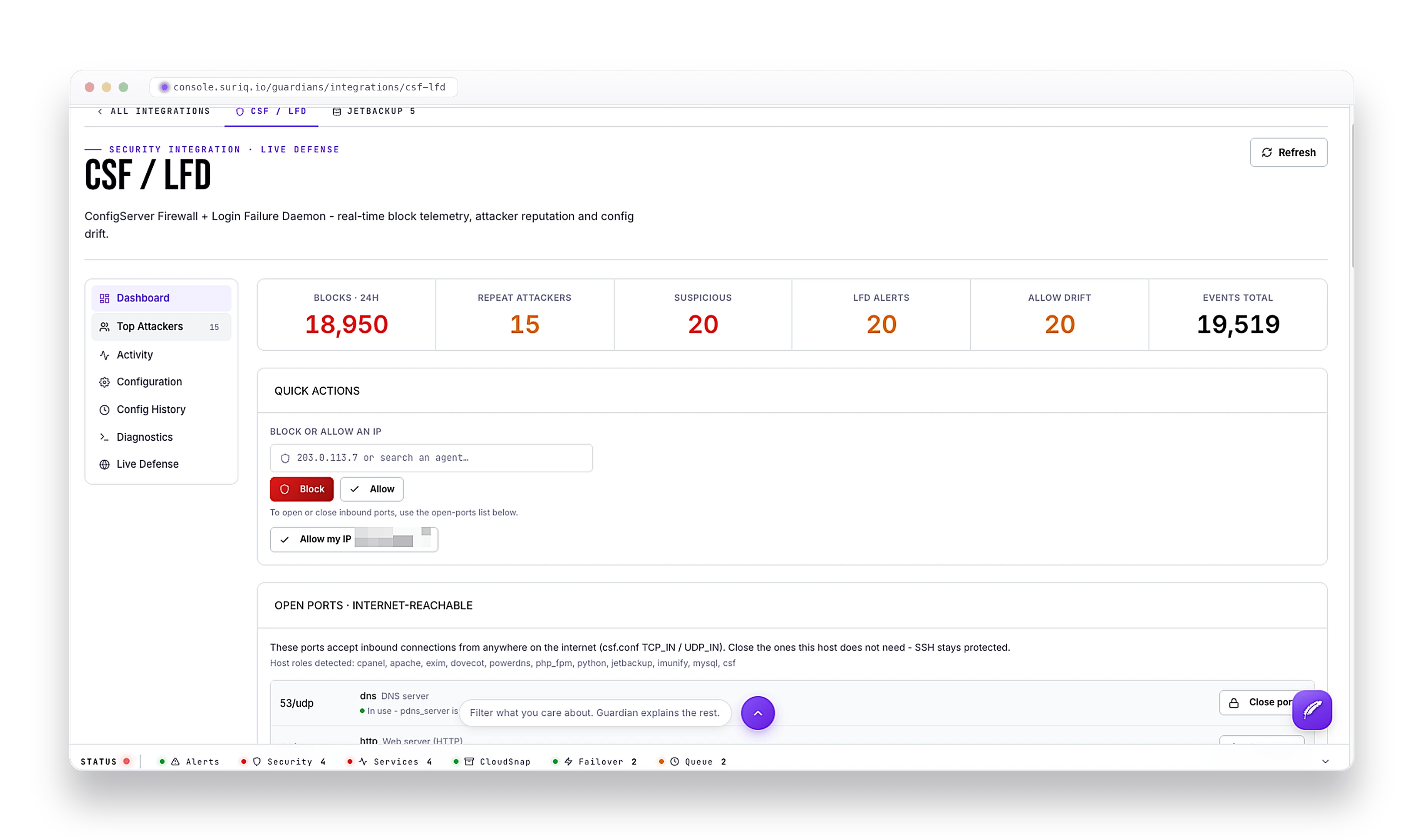
Suriq reads your ConfigServer Firewall (CSF) logs live and shows who is blocked, who is attacking, and what is open to the internet - right next to the alerts for the same server.
What you get
It reads the firewall - and turns it into things you can use.
Not just a log viewer. Suriq pulls real insight out of CSF, watches for the things you would miss, and gives you the controls to fix them.
What it shows you
- Every blocked IP, and how long until the block lifts
- Who is attacking you - their country, their network, and what they tried
- Which of your ports are open to the internet, and the service each belongs to
- A live map of where the attacks are coming from
- A record of every firewall change, so a quiet edit never slips by
- Whether your server has landed on a spam blacklist
What it lets you do
- Block, unblock, or temp-block an attacker in one click
- Block all your top attackers at once, not one IP at a time
- Close a port that should not be open, straight from the exposure view
- Ask Guardian to block, close, or check - it runs it and shows its work
- Every action logged, so you can prove what changed and when
How it works
Suriq's agent reads CSF and its LFD daemon's own log files as they are written. Nothing to install on the firewall, nothing to reconfigure - you just start seeing it in the console.
FAQ
Frequently asked questions
What does the Suriq CSF integration do?
Suriq reads your ConfigServer Firewall (CSF) and its LFD daemon log files live and turns them into a readable view in the console: who is blocked, who is attacking you, and which ports are open to the internet - right next to the alerts for the same server, with one-click blocking.
Do I need to install anything on the firewall?
No. Suriq's Guardian agent reads CSF and its LFD daemon's own log files as they are written. There is nothing to install on the firewall and nothing to reconfigure - CSF just starts showing up in the console.
Can I block an attacker from the Suriq console?
Yes. You can block, unblock, or temp-block an IP in one click, or block all your top attackers at once, and close a port straight from the exposure view. Every action is logged so you can prove what changed and when.
What does the CSF integration show about exposure?
It shows which of your ports are open to the internet and the service each belongs to, a record of every firewall change, and whether your server has landed on a spam blacklist. Attackers are shown with their country, their network, and what they tried.
Stop SSH-ing in to read your firewall.
Deploy a Guardian and CSF shows up in the console - live, and ready to act on.