 SURIQ
SURIQIntegration · Backup
Your backups, graded.
Suriq reads your JetBackup 5 daemon log and turns it into one clear health score - so you can see at a glance whether your backups are actually in good shape, without digging through logs.
What you get
A green checkmark says it ran. A grade tells you it is healthy.
Suriq reads the JetBackup daemon log on the agent and turns it into something you can actually judge - a score, the reasons behind it, and the things worth a second look.
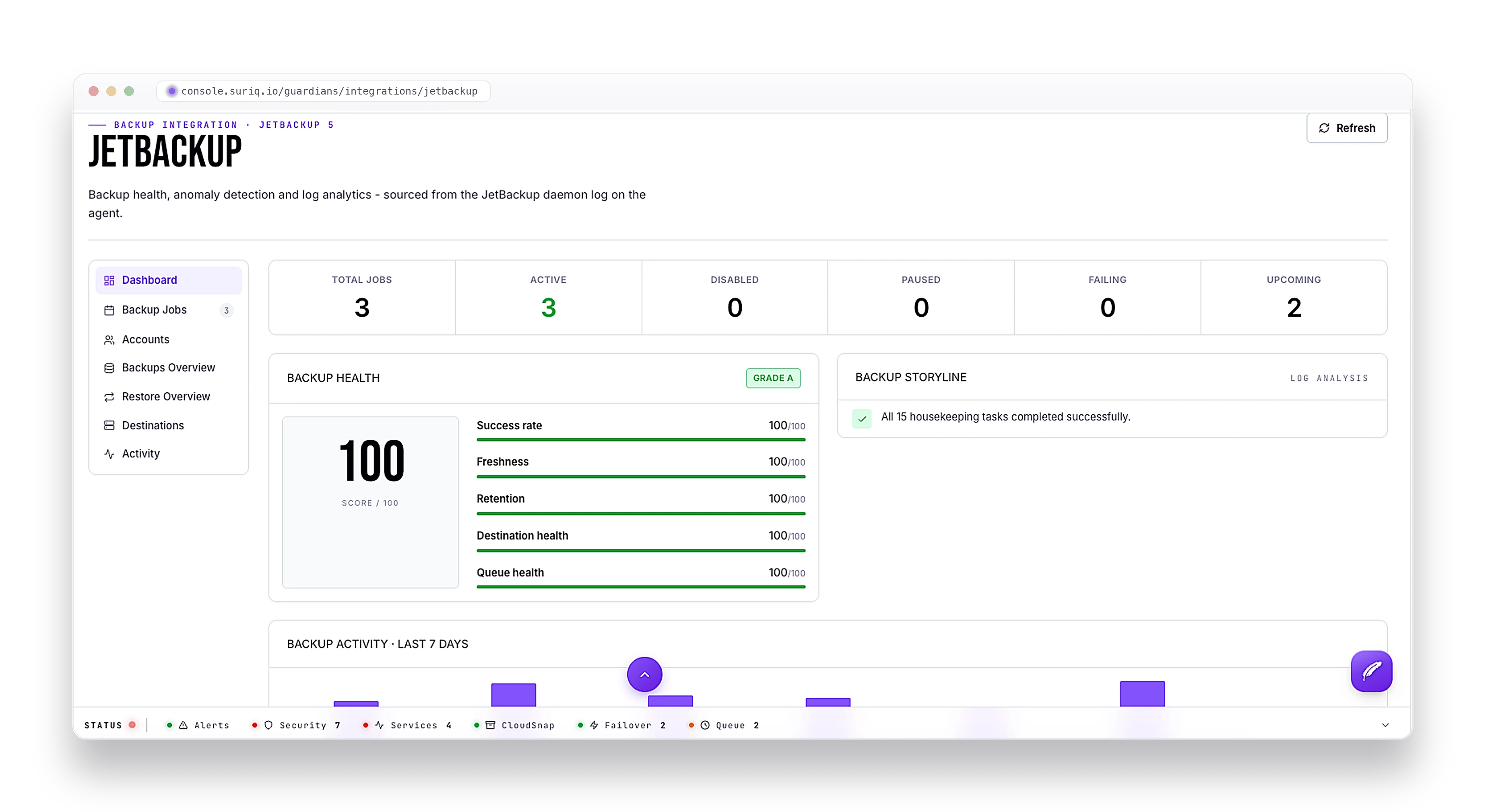
- One backup health score for the host, graded A to F
- The breakdown behind it: success rate, freshness, retention, destination health, and queue health
- Every backup job at a glance - active, paused, disabled, failing, and what is coming up
- Anomalies flagged automatically, so a job going wrong does not pass quietly
- A 7-day view of when your backups actually ran
- Your destinations and accounts, in one place
- A plain-language read of the daemon log, instead of raw lines
How it works
All of it is read from the JetBackup daemon log on the agent - the data JetBackup already writes. Nothing extra to install, nothing backed up twice. You just start seeing the score and the story in the console.
FAQ
Frequently asked questions
What does the Suriq JetBackup integration do?
Suriq reads your JetBackup 5 daemon log and turns it into one backup health score, graded A to F, so you can see at a glance whether your backups are actually healthy - not just whether the last job ran.
What goes into the backup health score?
The score breaks down into success rate, freshness, retention, destination health, and queue health. Suriq also shows every backup job - active, paused, disabled, failing, and upcoming - a 7-day activity view, and your destinations and accounts.
Does it catch backup problems automatically?
Yes. Anomalies are flagged automatically, so a job going wrong does not pass quietly, and the daemon log is read back in plain language instead of raw lines.
Do I need to install anything for the JetBackup integration?
No. Everything is read from the JetBackup daemon log that JetBackup already writes on the host. Nothing extra to install and nothing backed up twice - the score and the story just appear in the console.
See if your backups are healthy at a glance.
Deploy a Guardian on the host and JetBackup shows up in the console - graded, explained, and watched for anomalies.